UPDATED: Sprint Enables Wi-Fi Calling for iOS device with iOS 8.3!

UPDATE 4/17/2015: Do not enable Wi-Fi right now. I have gotten a statement from a Sprint Representative that there is a known problem where If you enable using your iPhone and leave the Wi-Fi then your phone will not be able to make calls if you are on Wi-Fi or not. The way to fix this is to not use it now or go to your online Sprint account and add the Wi-Fi calling feature manually – A Sprint Represenative can also do this for you.
If you do not want to add it to your account then you can disable Wi-Fi calling permanently (Not using the Toggle) then there is a guide here: Click Me! 

[mks_separator style=”solid” height=”5″]

With iOS 8.3 Sprint also sent out an carrier update (19.1). This gave iOS users the option to use Wi-Fi Calling for Sprint Users.

If you want to enable Wi-Fi calling then Go to: Settings > Phone > Wi-Fi Calls > Enable “Allow Wi-Fi Calls” > Tap “Turn On” on the Prompt > Verify your address (or fill it in) > Tap “Next” > You are done!
You will now have a option to “Update Emergency Address” – This is the update the address you put in or verified; which will be shown to the Emergency Services if you call 9-1-1 using Wi-Fi. Always tell the Emergency Services your EXACT location in case of any emergency*.

What Wi-Fi calling is if you don’t or have poor network connection in an area then you can use a Private or Public Wi-Fi network so your calls can be directed over Wi-Fi. There are some limitations:

Only the following Abbreviated Dialing Codes (ADCs) are supported over a Wi-Fi Call for iOS. Dialing another ADC (*55 for example) will result in a message stating the call cannot be completed over Wi-Fi. This call will need to be placed after the Wi-Fi Calling feature is turned Off.

211: Community Resources
311: Non-Emergency Services
411: Directory Assistance
511: Traffic Information
611: Sprint Customer Care
711: TDD Relay for Deaf and Hard of Hearing
811: Call Before You Dig Services
9-1-1: Emergency Services

*2: Sprint Customer Care
*3: Sprint Pay by Phone option
*4: Sprint Wireless Account Information
*5: Sprint Wireless Account Information in Spanish

Network Services Not Supported:

Messaging (SMS & MMS) in a Wi-Fi only area (No cellular coverage provided by the Sprint Nationwide Network)
Wireless Emergency Alerts in a Wi-Fi only area (No cellular coverage provided by the Sprint Nationwide Network)
Premium Caller ID
Wireless Priority Services (WPS)
Government Emergency Telecommunications Service (GETS)
Account Controls from Sprint.com
All voice account controls will not be functional when using this service including the following:

Block inbound Voice
Block outbound Voice
Block inbound/outbound Voice
Allow list and block list for specific numbers
Incompatible Services that will be de-provisioned when signing-up for Wi-Fi Calling on iOS:

RingBack Tones
StarStar Me
Google Voice
Integrated Office (IO) Business Service
Sprint Mobile integration (SMI) Business Service
Wireless Mobile Integration (WMI) Business Service


With Wi-Fi calling the Phone will try to use the cellular network to connect to emergency services like 9-1-1. If the call cannot be make because the single is poor or in-existent then it will be made over Wi-Fi. Emergency services will not be able to tell your location if your call is made over Wi-Fi so, you will have to provide them the exact location in an event of emergency.

All messages will still go over cellular network for now. If are not able to get a cellular connection then you text messages will not be sent.

All Wi-Fi calls are free and will not count against your call minutes if you do not have a unlimited plan.

Call / Messaging Type

Charges Utilize monthly plan minutes

Calls from, to and between US, US Virgin Islands, and Puerto Rico numbers.

$0

None

Calls made from the US, US Virgin Islands and Puerto Rico to international numbers.

Subject to CDMA international calling plan rates.

Varies by CDMA international calling plan.

Calls from international locations to the US, US Virgin Island and Puerto Rico numbers. $0

None

Calls from international locations to international numbers. Subject to CDMA international calling plan rates.(No roaming charges)

Varies by CDMA international calling plan.

All of this is for iOS devices. For more Information and for Android Devices. Click Here.

* To avoid as many causalities as possible.

Vessel; a YouTube alternative is bringing Top YouTubers onto it’s site!

Vessel is a new paid steaming site that allows creators to post video onto the site and has the same features of YouTube; Likes, Comments, Shares etc…

Vessel is making deals with big YouTubers with which a YouTuber can post a video on Vessel and then post the same video to any other streaming site at-least 72 hours after the video has been posted to Vessel. Major YouTubers are making the move because with YouTube’s new “product placement” rules you cannot put a logo of another company on screen or have in-video ads. Most of these big YouTube creators make their household out of these sponsorship and if they don’t have them then they can start to lost out on a lot of money… With Vessel since it’s a paid service you don’t have to worry about YouTube’s new rules.

Even though Vessel is a paid service there are still 5 seconds pre-roll ads on very video but there are no in-video ads.

Vessel is growing insanely fast and already a lot of the big YouTubers. Some of these include LinusTechTips and UnboxTherapy, Reet and Link along with other people..

For just a free hours more you can access Vessel for FREE for a year using LinusTech’s Link! No Credit-Cards needed! Right now Vessel is only $2.99/month but expect this to be more after a year!

Vessel is definitely not for everyone – It’s only for the people who are willing to pay to get early access to their favorite YouTuber’s videos! Most of the YouTuber’s are not making exclusive content for Vessel they are just uploading the videos there early but, what happens in the future, is well in the future.

Click to get a full of the creators already on Vessel.

The amount of money that you be making seems to be much more than what you would be on something like YouTube! From what Vessel tells the public.. You can make about $50 per 1,000 views compared to YouTube which sometimes is only about $10. They say that would will get 60% of subscription dollars and 70% of advertising dollars. All of this is just during the “Early Access” Period and after that these amounts might be lower or higher.

Earn more during early access

The free web treats every view equally. On Vessel, your superfans get exclusive, early access in a premium environment. During the early access period, you get 60% of subscription dollars and 70% of advertising dollars.

We estimate that videos will earn approximately $50 per 1,000 views while in early access. This is up to 20x more per view than creators earn from free web distribution.

For now it seems like there are no disadvantages to Vessel if you are on the bigger side of creators; The interface is simple and the ad integration is great and for the first year free using LinusTechTips link it’s a great deal (Limited Time).

[mks_button size=”small” title=”Source: Vessel” style=”squared” url=”https://www.vessel.com/creators” target=”_blank” bg_color=”#dd3333″ txt_color=”#FFFFFF” icon=”fa-external-link” icon_type=”fa”]

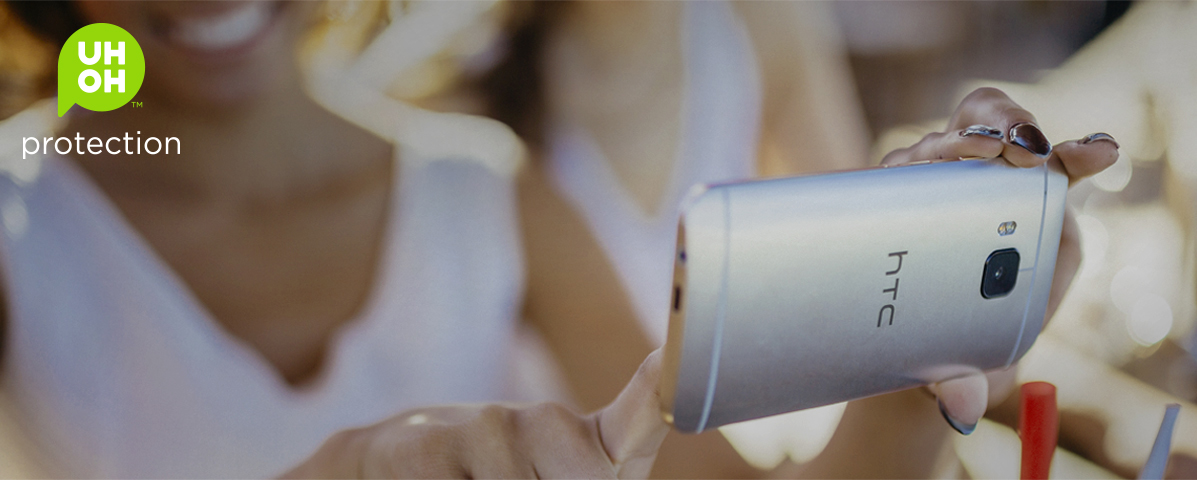
HTC’s ‘UH OH’ program will fix your One M9 for free up-to a year!

HTC’s new ‘UH OH’ program (clever naming) will replace your HTC One M9 if you drop it in the toilet, crack the screen, or just need to change carriers. For up-to year you can call a 800 number and they will send you a new unit overnight after giving them your phone’s IMEI number.

You can only use the program once and you have to send you broken or damaged phone back with the prepaid envelope included or you will be charged for the phone. So if someone stole your phone or dropped it from a bridge and can’t get it back then you are out of luck.

If you don’t use your ‘UH OH’ plan within the 12 months then HTC will have you a $100 credit towards your next HTC Product.

This way you can save a lot of money on protection plans, repair charges, case costs.


https://www.youtube.com/watch?feature=player_embedded&v=FjBKJGn_WoQ

Download and Watch the Apple March Event “Spring Foward” in HD!

A few weeks ago Apple has it’s “Spring Forward” event and it was live streamed on Apple website. You can watch the stream in HD below and download it for FREE!

REMEMBER: DO NOT REBROADCAST THIS EVENT WITHOUT APPLE’S PERMISSION.

Video hot-linked from Apple.

Download link

Use the “Save link as” or similar option to download the video.

REMEMBER: DO NOT REBROADCAST THIS EVENT WITHOUT APPLE’S PERMISSION.

Apple Watch – Android Wear for your iPhone!

[mks_dropcap style=”letter” size=”52″ bg_color=”” txt_color=”#000000″]T[/mks_dropcap]oday at Apple’s Spring Forward event it announced the released date and pricing of the Apple Watch along with “WatchKIT”.

We expected Apple to only release the Apple Watch at this event but, instead we also saw a new Macbook.

The Apple Watch does a lot of the same things as any Android Wear watch but, just with a bunch of gestures. One of these gestures include the swipe up from the watch face to bring up “Glances” which are “cards” from apps that you choose from you iPhone so you get the information quickly.
Just like an Android Wear watch it can (for example) bring up your boarding pass when you are near an airport or you are close to the time of departure. An Apple Watch can also run apps and with Apple Pay, pay for items wireless using your watch.
Just like any other smart watch you can receive any notifications on your watch and reply to text or answer phone calls. Since that watch is so small it doesn’t have a keyboard so you can reply to a message using the default commands or using Siri.

As far as the watch face itself goes it’s quite customization – you can download themes from ones that look like traditional watch to a Mickey Mouse theme. You can customize all of these watch faces. For example – With the Mickey Mouse watch  phase you change the weather in the top-right corner to anything you want like the date. The customizability is different from theme to another and in some cases you can customize a lot of stuff and in some you can only customize one or two things.

The watch physically only has two button – A digital crown and a button. The digital crown which didn’t look like the best thing in the world when they announced the watch is actually not that bad. You can use it scroll smoothing through stuff your is not always in the way and click it go to the apps page or the watch face. The second button is a quick launch button that takes you to your favorite contact and you can scroll thought them to text or call them. From this menu you will see a “doodle” if the person also has a Apple Watch and with that you can send them a animated doodle from your Watch to their’s and it will show up on their screen just like the way you drew it. You can also double tap the quick launch button to jump into Apple Pay and choose what you want to pay with.

There were rumors circulation of the Apple Watch not having great battery life and everybody was really skeptical when Tim Cook came on stage and said that the Apple Watch will have a 18 Hour battery life using a power reserve technology.

If you want the buy the Apple Watch then it’s going to about double the cost of most Android Wear watches and since Apple has never allowed third party manufacturers to create an apple product you only have three models of the Apple Watch you can buy now.

[mks_separator style=”solid” height=”50″]

The Apple Watch Sport – Which is the cheapest watch in the lineup. It’s available in a lot of bands and colors and in two sizes (38 mm. and 42 mm.). The watch is $349 (38 mm) or $399 (42 mm).

The Apple Watch – This is the second “inexpensive” watch. It is more premium then the Sport and has way more premium bands and more colors. This is also available in 38 mm. and 42 mm. sizes. The watch is $549 (38 mm) or $599 (42 mm).

The Apple Watch Edition – This is model is for the really serious people who want to make a fashion statement. It’s in limited quantity, colors and sizes. Most of these watches are made out of Gold (at-least the case) and start at just $10,000! No it’s not a miss print – It STARTS at 10K!


You can look at all of these watches here

Macbook 2015 – A Macbook for it’s looks not it’s performance or price!

[mks_dropcap style=”letter” size=”52″ bg_color=”” txt_color=”#000000″]T[/mks_dropcap]oday at Apple’s Spring Forward event we didn’t expect a new product lineup other then the Apple Watch but, we did expect a 12in Macbook Air.
Apple decided to create a new product line called the “Macbook” – It’s not branded as the “Macbook Pro” or the “Macbook Air” it’s just the Macbook. The new Macbook (as you will see) is for it’s looks not for how it performs or the price of the laptop.

Something “different” about this new laptop is that It has a USB-C port (other then the 3.5mm headphone jack) which is used for Charging, USB Ports, Display Output. Since there is only one port you can only do one of these functions at the same time until you get at first or third party adapter that can convert this port to one that you need to use. As of now Apple has a $79 adapter that allows you to charge the laptop, use a USB device and a external display. Even though with a adapter you still get USB 3.0 speeds.

RELATED – This new USB-C port is also on the new Chromebook Pixel.

Apple has confirmed that there will be third part adapters.

This compromise was made because, the laptop is only 13.1 mm at it’s thickest. That’s now the only compromise that had to be made – There is also a new “Butterfly” Keyboard and a “Force Touch” Tracpad.

The “Butterfly” keyboard extends the full width of the laptop and with this new keyboard it takes less space and feel the space on any part of the key.

The “Force Touch” tracpad is also not like the traditional mechanical Tracpad. Basically – It’s a touch pad with vibrating moter that “simulates” the feel of a traditional click. This new tracpad can also detect pressure so, for example, you can deep press on a address in a safari or mail window and it show you it on a map.

Another example is If you deep press on a file it will open it in preview.

As far as the other specs go:

[mks_separator style=”solid” height=”5″]

  $1299 $1599
Processer 1.1GHz Dual-Core Intel Core M 1.2GHz Dual-Core Intel Core M
  • Turbo Boost
2.4GHzHH 2.6GHz
  • Cache
4MB Shared L3 4MB Shared L3
Storage 256GB PCIe-Based Onboard Flash 512GB PCIe-Based Onboard Flash
Memory 8GB of 1600MHz LPDDR3 onboard
Graphics Intel HD 5300 – Internal
Wireless Wi-Fi – 802.11ac a/b/g/n                  Bluetooth 4.0
Camera 480p FaceTime Camera
Input Device(s) “Butterfly” Keyboard & “Force Touch” Tracpad
Battery Built-In 39.7-Watt-Hour Lithium-Polymer Battery
  • Battery Life
9 Hrs. Web Browsing                  10 Hrs. Video Playback
CONFIGURABLE: 1.3GHz dual-core Intel Core M processor (Turbo Boost up to 2.9GHz) with 4MB shared L3 cache

[mks_separator style=”solid” height=”5″]

UPDATE: Mar. 11 15 8:00 PM EST

These are the accessories available as of now:

Apple March 2015 Event; New MacBook and Apple Watches!

Just a few hours ago, Apple had it’s March 2015 Spring forward event where they announced price drops, new partnerships, a new Macbook, and more details on the Apple Watch.

The keynote as usual started off with the small things like – HBONOW will launch first exclusively to Apple starting at just $14.99/mo. Apple also cut down the price of the Apple TV from $99 to $69 – Old hardware and competition.

Screen-Shot-2015-03-09-at-10.09.26-pm

Then Apple went on how it’s going to help with medical research by announcing “ResearchKIT” which allows developers to create app to faster get survey on health problems. This helps researchers find cure for health issues much faster. Doctors can also use this technology to send notification to it’s patients who are using it’s app.
Apple is also working with many research companies to get this technology out into the hands of patients who have severed health problems such as Breast Cancer etc..

https://www.youtube.com/watch?v=VyY2qPb6c0c

After taking a bunch about “ResearchKIT” – They went on to talk about their Macbook line and brought the new Macbook. It’s hasn’t been branded as the MacB. Pro or the MacB. Air it’s just a new product line called the “Macbook“.

[mks_pullquote align=”right” width=”200″ size=”24″ bg_color=”#FFD700″ txt_color=”#ffffff”]Macbook 2015[/mks_pullquote]

This new Macbook is for the looks and not for how it performs or how much it costs. It’s a super-thin laptop. Because of this there are only two I/Os. One a USB-C port that is both for charging and a standard USB 3 port (Can only do one at a time unless you have the Apple adapter).

The other I/O is a standard four pole 3.5 mm port.

When we said “Super-thin” we mean’t it.. It’s just 13.1 mm at this thickest and because of this the USB-C port was one of the compromise that were made. The other two are the new keyboard and the trackpad.

https://www.youtube.com/watch?v=5-e7NFINJas

[mks_pullquote align=”left” width=”200″ size=”24″ bg_color=”#ffd700″ txt_color=”#ffffff”]Apple Watch[/mks_pullquote]
Apple then went onto something that we all were expecting which is the Apple Watch.

We already knew a lot about the watch such as the colors, bands, and the models but, today we got the pricing, the release date and more..

Apple talked about some of the stuff that we already but, they announced “WatchKIT” with which developers can create that apps for the watch.  The watch also has a new included app with iOS 8.2 “Apple Watch” with which you can download apps for the watch, themes and change settings. The watches are available in both 38mm and 42mm case. They also gave us the price:

[mks_tabs nav=”vertical”]
[mks_tab_item title=”Sport”]
$349 or $399
[/mks_tab_item]
[mks_tab_item title=”Regular”]
$549 or $599
[/mks_tab_item]
[mks_tab_item title=”Edition”]
$10,000+
[/mks_tab_item]
[/mks_tabs]

NOTE: You will need an iPhone device that is newer then the iPhone 5 and running iOS 8.2 or above.
You will be able to pre-order all of these models starting April 24th 2015!

That was about it for the event!

[mks_separator style=”solid” height=”5″]

[mks_button size=”small” title=”Apple Watch” style=”squared” url=”http://ddshdyt.com/2015/03/08/apple-watch/” target=”_blank” bg_color=”#ffd700″ txt_color=”#0a0a0a” icon=”” icon_type=””][mks_button size=”small” title=”Macbook 2015″ style=”squared” url=”http://ddshdyt.com/2015/03/08/macbook-2015/” target=”_blank” bg_color=”#ffd700″ txt_color=”#0a0a0a” icon=”” icon_type=””]

Apple Watch event is scheduled to be on March 9th – “Spring Forward”

Apple has just announced when it’s Apple Watch event is going to be and it’s on March 9th at 10 a.m. PDT! Of-course a lot of news sources and agencies has been invited but it seems like this year some YouTubers have also been invited like Marques Brownlee – A Huge Tech YouTube celeb and somewhat of a Non-iPhone user has also been invited.

Image: MKBHD Snapchat

Never the less – We all think that Apple is going to be releasing the Apple Watch to the public at this event.

The event will be held at the Yerba Buena Center for the Arts in San Francisco, As it has been for Apple Events. It will start 10 A.M. Pacific Time.

The Invitation that was sent was has the caption “Spring Forward” and it is thought that this is the tagline because the event is the day after the Daylight Saving Time in the United States.

Image: Apple Invitation


This event is thought to be mainly for the Apple Watch since there is a lot more to cover about the wearable but, It wouldn’t be surprising if Apple sneaks in another announcement because, according to recent rumors the Apple Watch’s battery life might not be that great if it’s not worse then most of the Android Wear watches on the market.

We don’t expect to see new hardware other than the wearable to like a new iPad or iPhone we can see a new software update to go along with the watch.

What ever we see it will hopefully be impressive!

Add to your calendar

[mks_button size=”small” title=”Source: Apple Site / Invite Email” style=”squared” url=”http://www.apple.com/live/” target=”_blank” bg_color=”#dd3333″ txt_color=”#FFFFFF” icon=”fa-external-link” icon_type=”fa”]

BREAKING: YouTube wants to get a cut of your sponsored videos!

YouTube is now starting to clamp down on creators who are working directly with companies to sponsor their videos with overlay ads and YouTube now wants to get a cut of your sponsorship money.

YouTube has not updated it’s ad policy to block “graphical title cards” from sponsors to promote their product or service.

A revised FAQ document states that video overlays of sponger logos and product branding are no longer allowed – Until the Sponsor itself pays Google to advertise their product or service.

The sponsor wants to have a title card before the video with their brand name and product information. Is this ok?

We allow text-only title cards where there is Paid Product Placement for the purpose of paid product disclosure only. Graphical title cards, including the use of sponsor logos and product branding, are prohibited unless there is a full Google media buyout on the Partner content by the sponsor. You can contact your Partner Manager for more information and assistance.

That is what the updated FAQ document states. This been you are not allowed to put a brands logo that is not yours in your video, as simple as you can’t have a coke can clearly visible in the video.

You can have a logo if you are covering the news!

A YouTube representative is saying that this is a clarified version of it’s exiting policy. This is intended to keep viewers from being stacked with ads.

This prevent YouTube stars and Multi-channel networks from creating sponsorship deals with brands without Google/YouTube getting a cut of it. It seems like YouTube has made this move because it just wasn’t making enough money from the 40% AdSense cut.

However you CAN put a brand’s logo on screen if you are covering the news – For Example: You can have Apple’s logo on screen if you are taking about the new iPhone.

YouTube now does have a new package which advertisers can buy to have a 6 second pre-roll that is not integrated into the video. It’s called “product card”!

Questions:

  1. How does YouTube know that you are doing a news story from you doing a sponsorship. Right now YouTube’s Content ID system is really bad already so, that question is how is the system going to differentiate a sponsor spot from a news story?
  2. How much cut of the money will YouTube/Google will take from my “product placement”?
  3. How I sign up so YouTube/Google gets a cut of my sponsor-spots? Can I do it or the advertiser has to do it?
  4. What about the video on YouTube that already have a “product placement”? Will they be taken down?
  5. What If I accidentally have a “product placement”. Like in my vlog where I show a food that I really like or show the logo of a restaurant that I go to?
  6. Will I have to blur out every single logo out of my vlog that’s not mine?

All of these question have not yet been answered by YouTube.

If YouTube is keeping this policy and keeps doing stuff like this then it might not be far when we all move to Facebook or any other video streaming platform for our videos. Remember, These “product placements” are a big source of money for some YouTubers other then AdSense.

[mks_button size=”small” title=”Source: Google / YouTube Support” style=”squared” url=”http://support.google.com/youtube/answer/154235″ target=”_blank” bg_color=”#dd3333″ txt_color=”#FFFFFF” icon=”fa-external-link” icon_type=”fa”][mks_button size=”small” title=”Source: Digiday” style=”squared” url=”http://digiday.com/platforms/youtube-moves-outside-overlay-ads/” target=”_blank” bg_color=”#dd3333″ txt_color=”#FFFFFF” icon=”fa-external-link” icon_type=”fa”]

Open

Close